
Unified • Governed • Configurable • AI-Assisted
Control Projects.
See Risks Earlier.
Make Better Decisions.
UPMS brings project governance, schedule, cost, claims, risks, actions and reporting into one configurable workspace, giving every role the information needed to control project performance.
Sign in to your workspace- Unified Project Controls
- Customizable Workspace
- Role-Aware Experience
- AI-Assisted Insights
- Flexible Deployment
Projects
12
On Track
78%
At Risk
3
Overdue
2
Schedule Performance (S-Curve)
Cost Performance
0.93
CPI, portfolio average
- Upper Gas Terminal ExpansionOn Track
- Coastal Pipeline ReinforcementAt Risk
- Refinery Unit 8 TurnaroundCritical
- Wellhead Cluster 315 Tie-InOn Track
AI insight: Schedule slippage risk detected on Coastal Pipeline Reinforcement based on critical-path delay and resource conflict.
The Platform Today
Built on a governed, configurable foundation
3
Deployment Models
Cloud, Private Cloud, On-Premise
Unified
Project Controls
Schedule, Cost, Claims
5
Languages
English, Arabic, French, Spanish, Italian
3
Reporting Channels
Excel, PDF, Power BI
Role-Aware
Experiences
Built for every authorized role
1
Governed Platform Core
Configurable per organization
UPMS Platform Capability Model
Everything You Need to Control Complex Projects
One governed Company, Project, People and Permissions foundation supports every capability.
Project Governance
Structure portfolios and projects, govern decisions and maintain control from setup through closeout.
Planning & Schedule
Plan, baseline and track schedule performance from milestones to detailed activities.
Cost & Commercial
Control budgets, commitments, actuals, forecasts and claims.
Control & Assurance
Stay ahead of risks, issues, technical queries and open actions.
Knowledge & Reporting
Capture lessons and turn governed project data into decision-ready reporting.
Administration & Configuration
Govern access and configure how UPMS works for each organization.
Reporting
From Controlled Data to Decision-Ready Reporting
One governed data foundation. Multiple ways to consume it.
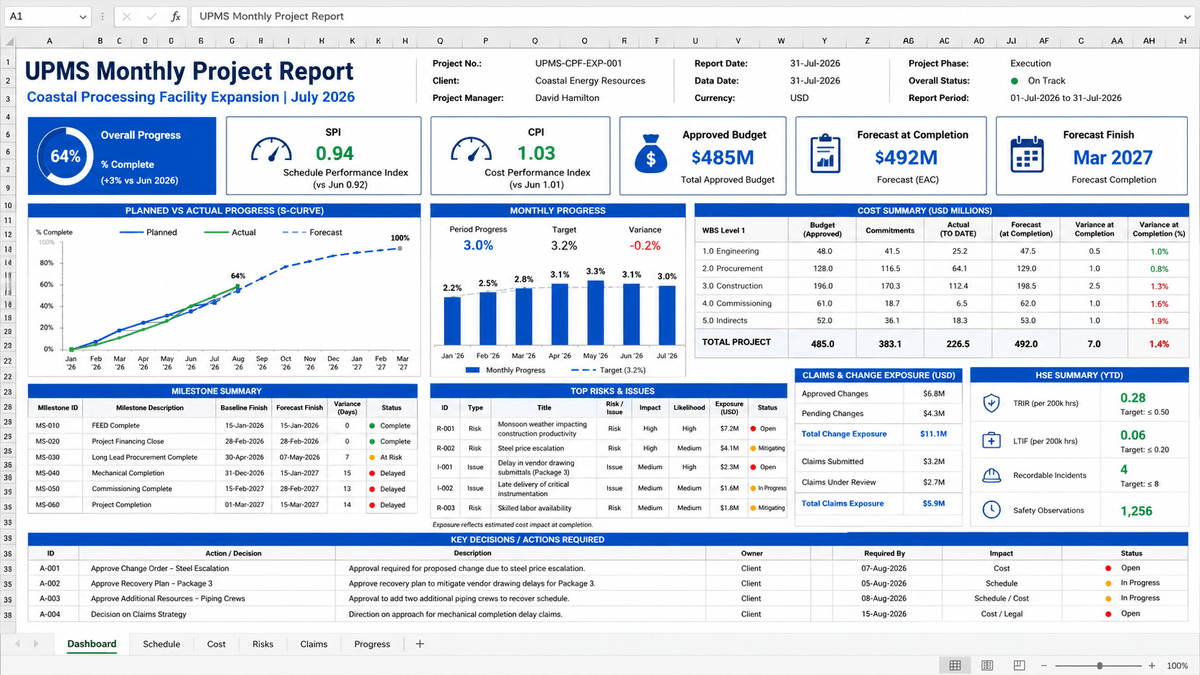
Excel
AvailableGoverned tabular exports for analysis and controlled reporting.
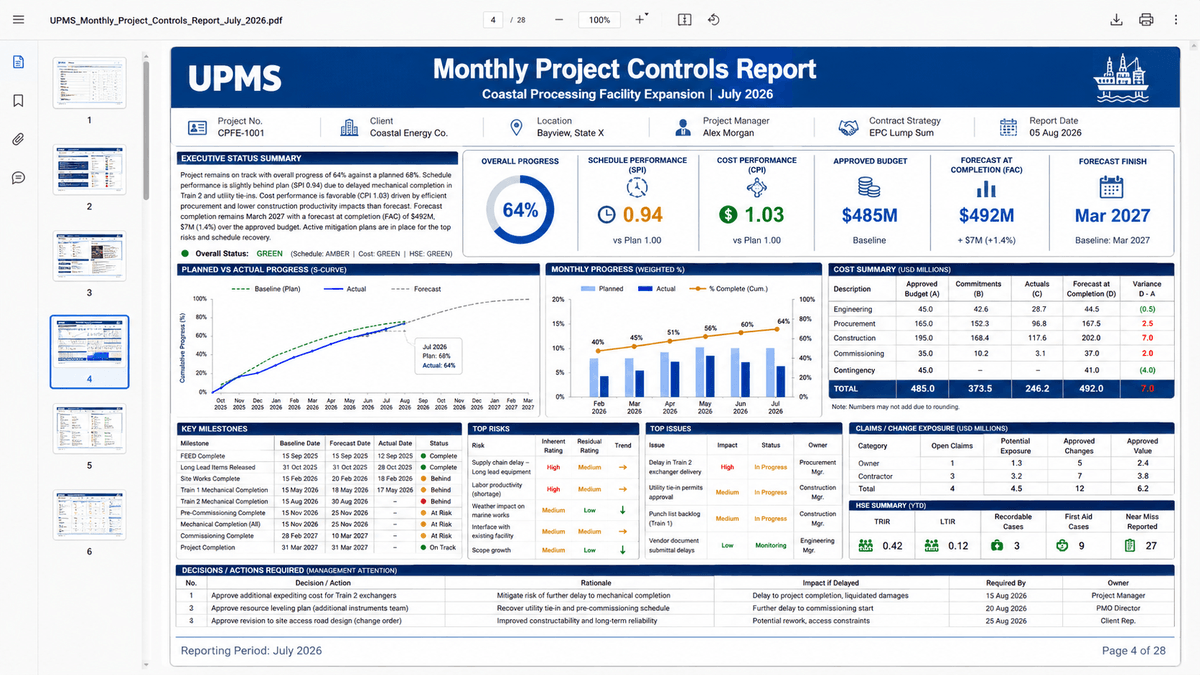
Formal project and portfolio reporting packs.
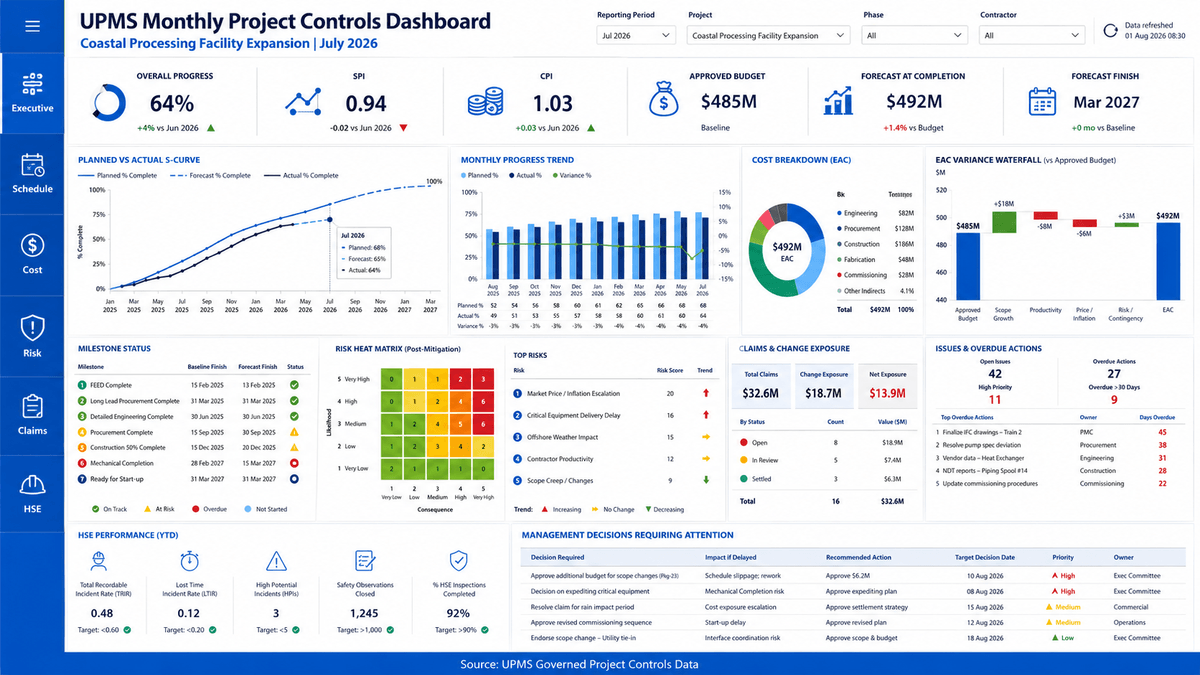
Power BI
RoadmapExecutive and project dashboards through governed BI connectivity.
Examples
Project Lifecycle
One Platform Across the Project Lifecycle
UPMS connects project information, controls and decisions from initiation through closeout.
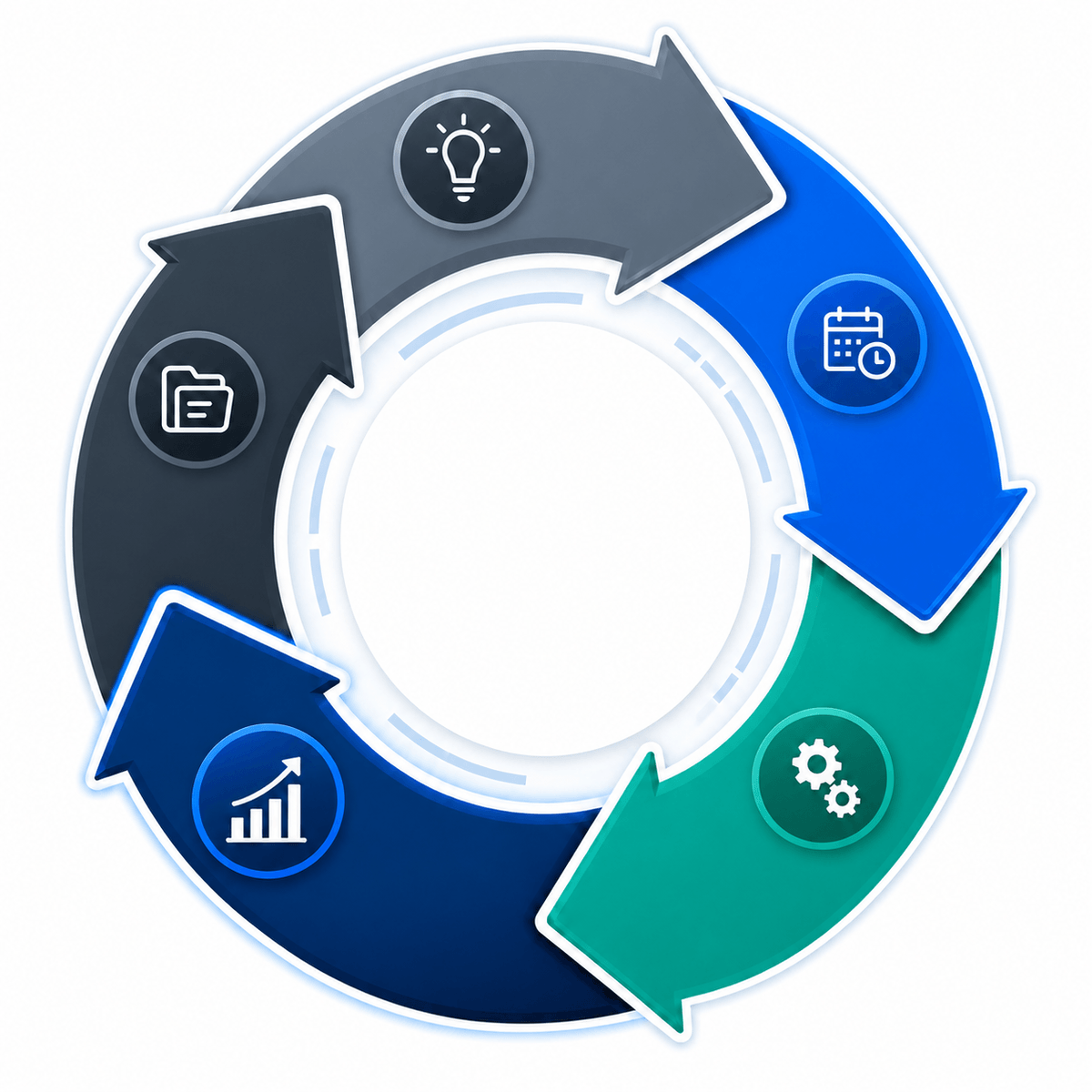
- 1
Initiation
Define scope, objectives and governance.
- 2
Planning
Build schedule, budget and resource plans.
- 3
Execution
Deliver work and capture progress in real time.
- 4
Control & Assurance
Core focusMonitor performance, manage risks and take corrective action early.
- 5
Closeout
Close contracts, archive records and capture lessons learned.
Supports waterfall, agile and hybrid delivery models.
Role-Aware Experience
The Platform Changes With the Role
Every user sees the portfolios, projects and capabilities relevant to their responsibilities and authorized scope.
Executive / Manager
Views portfolio health, performance indicators, major risks, exceptions and management decisions across the authorized organization or portfolio.
Key Responsibilities
- Portfolio oversight
- Exception review
- Management decisions
Relevant Modules
Illustrative dashboard preview
Executive / ManagerPortfolio
Portfolio oversight
Reporting
Exception review
Decisions
Management decisions
Why UPMS
Built Around Your Organization, Not the Other Way Around.
UPMS provides a governed product core while allowing each organization to configure the workspace around its operating model.
Customizable by Design
Configure modules, roles, permissions, workflows, dashboards, branding, notifications and KPI thresholds without fragmenting the governed product core.
Governed AI Assistance
Surface context-aware project insights while respecting the user's authorized company, project and role scope.
Enterprise Data Integration
Connect project information through governed APIs, import services and controlled integration patterns.
Deployment Freedom
Choose vendor-hosted cloud, dedicated private cloud or deployment within the client's infrastructure.
Role-Aware by Default
Give each person the information and actions relevant to their role and authorized scope.
Audit-Ready Governance
Track changes, approvals and governed actions to strengthen accountability and data confidence.
Multilingual Experience
Support English, Arabic, French, Spanish and Italian through an extensible localization architecture.
Reporting Without Lock-In
Consume governed project data through Excel exports, formal PDF reports and Power BI connectivity.
Connected Intelligence
Project Intelligence in Context
Ask UPMS AI
Project health summaries
Schedule attention items
Cost-performance interpretation
Illustrative interface, not a functional AI assistant in this increment.
AI assistance operates within the user's authorized organization, project and role context. Recommendations remain subject to professional review.
Integration-Ready Architecture
Illustrative systems only, not a claim that every connector is already delivered. Connectivity is designed to go through governed APIs, import services, and controlled integration patterns, never a direct, ungoverned database link.
Deployment
Deploy UPMS Where Your Business Requires
Where UPMS runs and where your data resides is a business decision your organization makes, not a limitation of the application.
UPMS Cloud
The fastest path to a governed, multi-company environment.
- Managed by the UPMS team
- Controlled, versioned upgrades
- Standard enterprise identity integration
- Fastest path to a governed multi-company environment
Hybrid Deployment
Combine vendor-managed services with client-controlled data or integrations.
- Flexible application and data placement
- Client-controlled sensitive data
- Governed API integration
- Phased migration between hosting models
Client-Hosted / On-Premise
The same governed UPMS product, deployed within your own infrastructure.
- Client-controlled infrastructure
- Client-managed data residency
- Enterprise SSO or on-premise identity
- Application and PostgreSQL deployed within the client environment
Security & Governance
Enterprise Control by Design
Role-Based Access
Every action is governed by resolved role and permission, not by UI assumption.
Company / Project Scope
Data is scoped to the company and project a user is authorized for.
Tenant Isolation
Designed to isolate each organization's data through company and project scope.
Audit Trail
Governed mutations are recorded for accountability.
Governed Data
Data is created, changed, and read through the same governed rules every time.
Controlled Integrations
External connectivity, including reporting, goes through governed views and APIs.
- Authorization is enforced server-side, on every request.
- Access is deny-by-default.
- Role checks alone are insufficient without company and project scope.
- Tenant isolation is designed into every application layer.
- Sensitive actions are designed for governed auditability.
- Future enterprise identity may use OIDC or SAML.
Who UPMS Is Built For
Built for complex project environments
Bring Every Project Control Into One Governed Platform
Unify governance, schedule, cost, claims, risks and reporting. Give every authorized role the context needed to act.
Access Your UPMS Workspace
Sign in with your authorized organization account.
- Secure authentication
- Role-based access
- Company / project isolation
- Auditability
UPMS is an enterprise platform. Access is granted through your organization, not open self-registration.